Best Website Design Company in Bogura
Are you looking for the best website design company in Bogura to grow your business online? Codingburg helps businesses build a strong digital presence through modern website design, web development, custom software, and digital solutions.
Today, a professional website is essential for almost every business. Customers search online before choosing a product, service, or company. Therefore, your website should do more than look attractive. It should communicate your value, build trust, provide useful information, and make it easy for customers to contact you.
At Codingburg, we believe every business deserves a website that supports its goals. Whether you are starting a new company, expanding an existing business, or planning a digital product, the right technology can help you reach more customers.
If you need a website design company in Bogura, Codingburg is ready to discuss your requirements and help you choose a suitable digital solution.
Why Choose Codingburg as Your Website Design Company in Bogura?
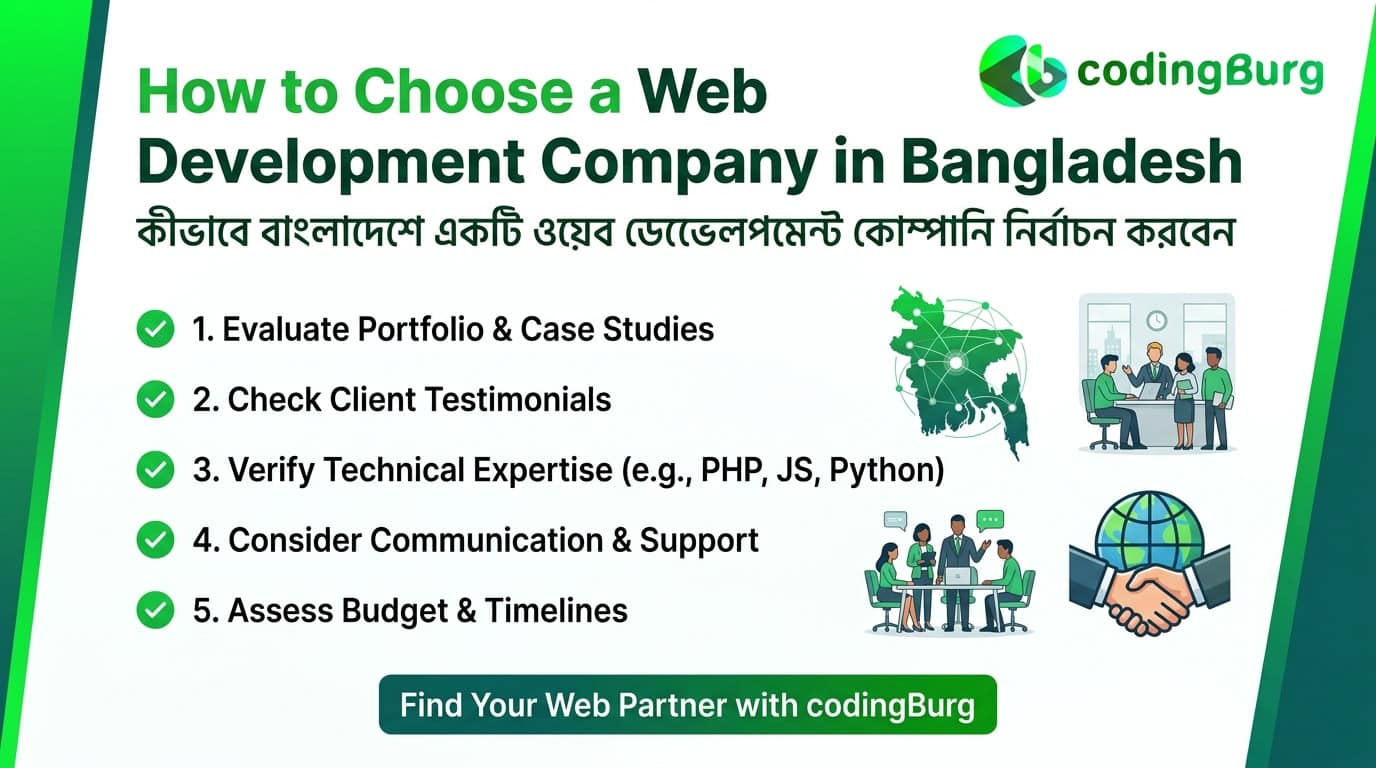
Choosing a web development company is an important business decision. Your website represents your brand and often creates the first impression for potential customers.
Codingburg focuses on developing digital solutions that match business requirements. Our approach starts with understanding your goals, audience, services, and long-term plans.
Here are some important factors to consider when working with a website development company.
1. Professional Website Design
A professional website should reflect your brand identity. It should also make information easy to find.
A clean layout, readable typography, consistent colors, and clear navigation help visitors understand your business. In addition, well-organized pages make it easier for customers to explore your products and services.
Codingburg aims to create modern website experiences that combine visual appeal with practical functionality.
2. Mobile-Friendly Website Development
Many customers browse websites using smartphones. Therefore, a website must work properly across mobile phones, tablets, laptops, and desktop computers.
Responsive web design adjusts the layout to different screen sizes. It helps visitors read content, browse products, and use contact forms without unnecessary difficulty.
For businesses in Bogura, a mobile-friendly website can make it easier for local customers to discover services and contact a company while on the move.
3. SEO-Friendly Website Structure
An attractive website is not enough if potential customers cannot find it through search engines.
Search engine optimization, or SEO, helps search engines understand your website and its content. A clear website structure, descriptive page titles, useful content, relevant internal links, and optimized images can support better search visibility.
Codingburg understands the importance of combining website development with SEO-friendly practices. However, search rankings depend on several factors, and no responsible company can guarantee a particular Google position.
4. Business-Focused Solutions
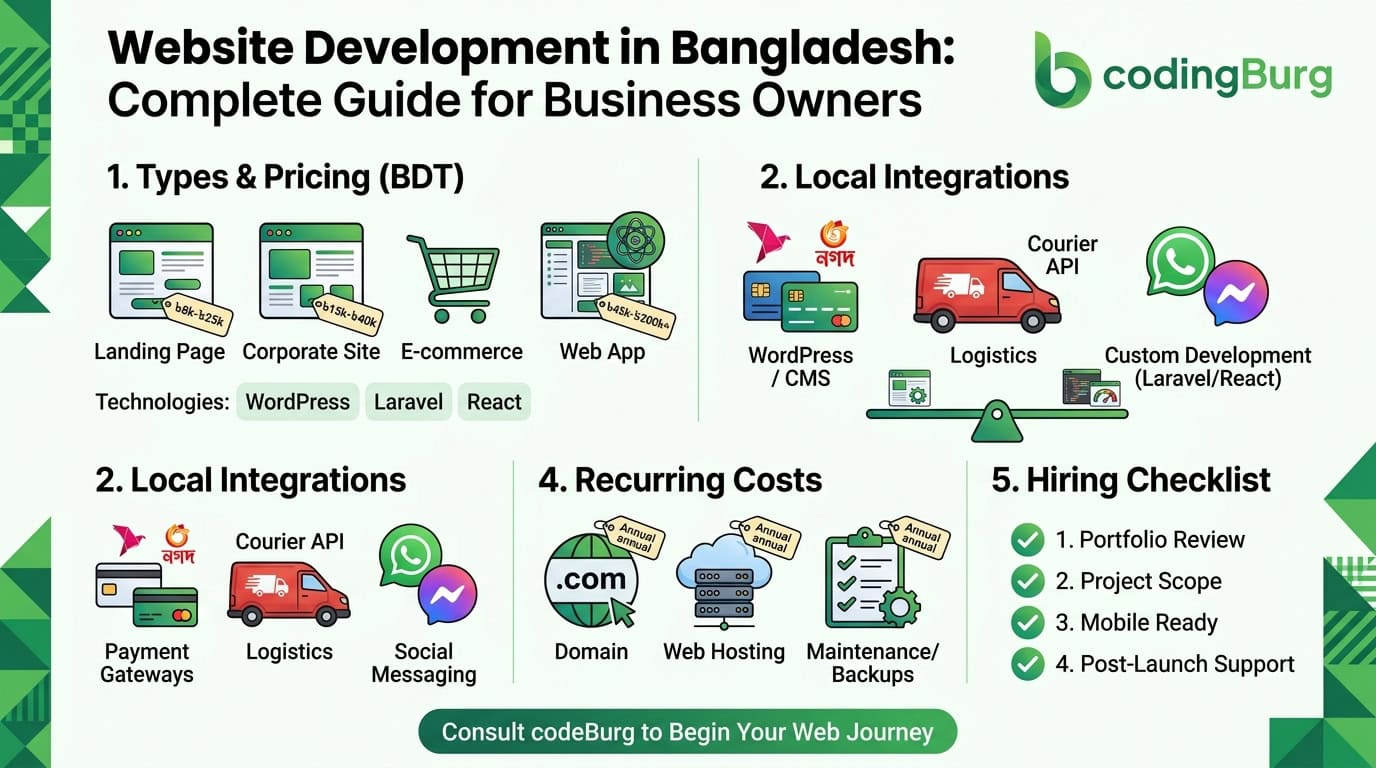
Every business has different needs. A small service provider may need a simple company website, while an online retailer may require product management, payment integration, and order tracking.
The right website should reflect your business objectives rather than include unnecessary features.
Codingburg can discuss your requirements and help you identify the most appropriate approach for your project.
5. A Foundation for Future Growth
Your business may need additional features as it grows. For example, you may want to add new service pages, publish articles, introduce online payments, or connect your website with other business tools.
Planning for future growth can reduce the need for expensive redesigns later.
A well-planned website should support your current needs while allowing room for future improvements.
Website Design and Development Services in Bogura
Codingburg focuses on digital solutions that help businesses establish and improve their online presence. The exact scope of each project depends on the client’s requirements.
Business Website Design
A business website introduces your company, explains your services, and provides customers with the information they need.
A professional business website may include:
- Home page with a clear introduction
- About Us page describing the company
- Services or product pages
- Portfolio or project showcase
- Customer testimonials, where genuine reviews are available
- Contact page with relevant business details
- Frequently asked questions
- Calls to action that encourage enquiries
A well-structured business website helps potential customers understand what you offer and how to get in touch.
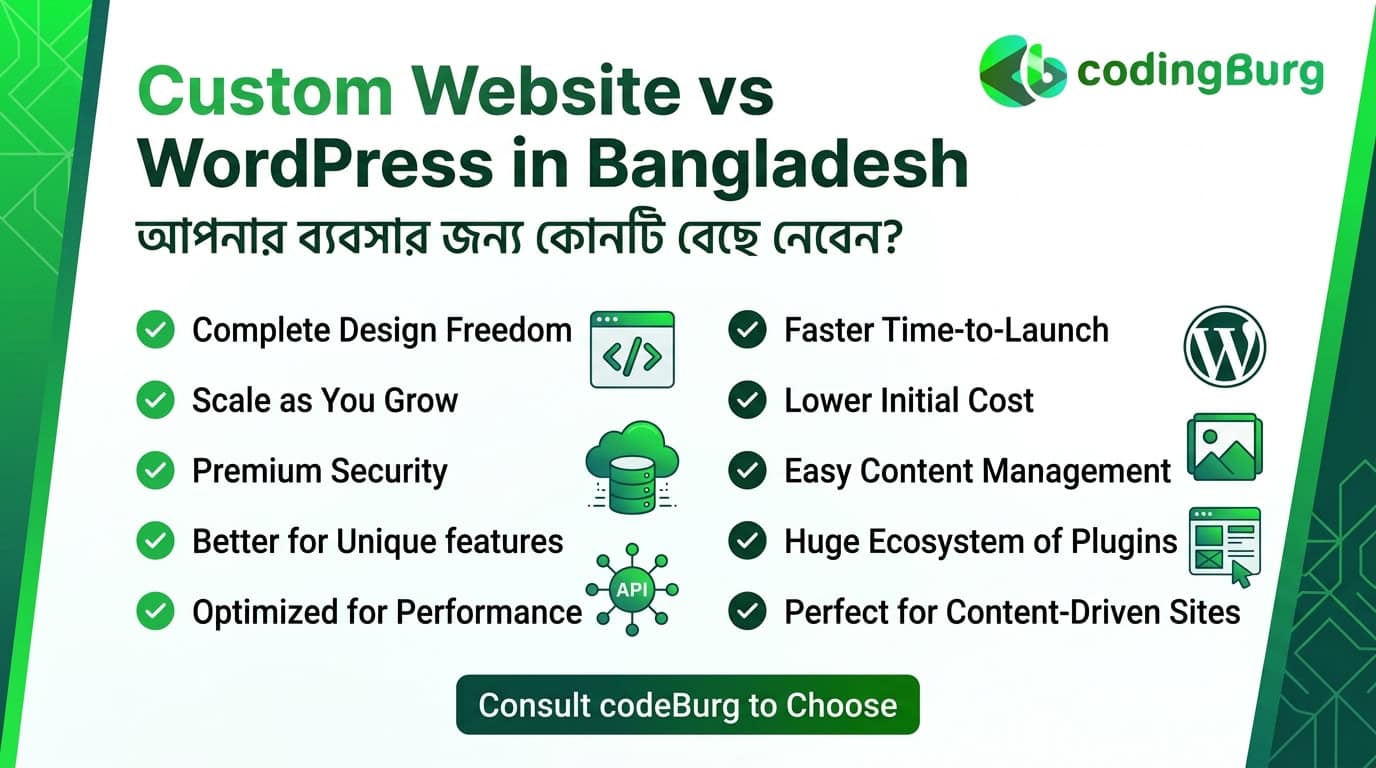
WordPress Website Development
WordPress is a popular content management system for businesses that need an easy way to manage website content.
Depending on the project, a WordPress website can support business pages, blogs, portfolios, landing pages, and online stores.
WordPress can be a suitable option when clients want to update text, publish articles, or manage products without editing code.
The best solution depends on your budget, required functionality, maintenance needs, and technical preferences.
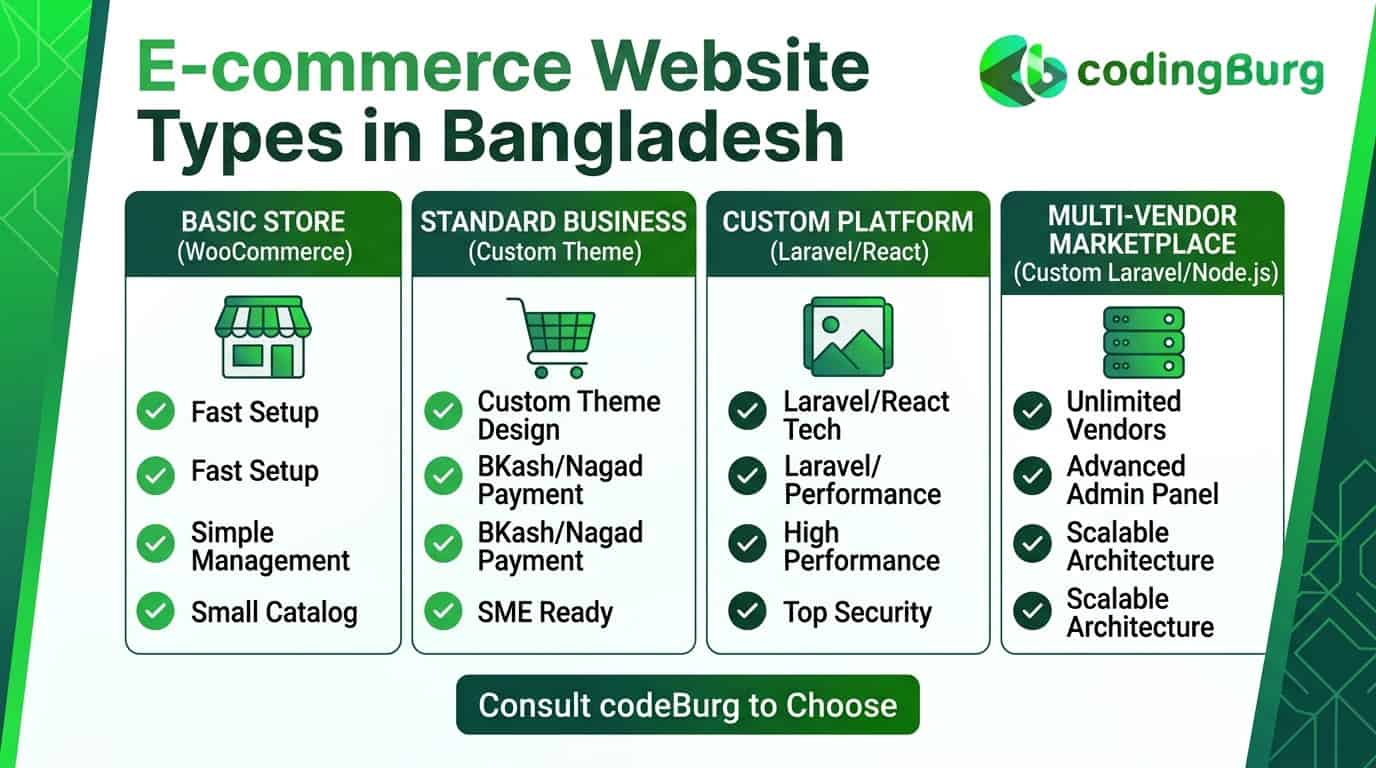
eCommerce Website Development
An eCommerce website allows businesses to showcase products and accept orders online.
For retailers in Bogura, an online store can help customers explore products without visiting a physical shop. It can also help businesses reach buyers in other cities across Bangladesh.
Common eCommerce features include:
- Product categories and search
- Product images and descriptions
- Shopping cart and checkout
- Order management
- Payment gateway integration, where supported
- Delivery and shipping information
- Customer account features
- Inventory management
A successful online store should be easy to navigate, secure, and convenient to use on mobile devices.
Custom Website Development
Some businesses need functionality that standard templates or plugins cannot provide efficiently.
Custom website development can help create solutions tailored to specific workflows and requirements. These may include advanced dashboards, booking systems, membership platforms, customer portals, and other web-based applications.
The development approach should be selected after reviewing the project’s complexity, expected traffic, security requirements, and budget.
Landing Page Design
A landing page focuses on a specific product, service, campaign, or business objective.
Unlike a general website, a landing page usually guides visitors toward one primary action, such as submitting an enquiry, requesting a quotation, or placing an order.
Effective landing pages often include a clear headline, useful benefits, relevant images, supporting information, and a visible call to action.
A landing page can support advertising campaigns and targeted marketing activities when its content matches the audience’s needs.
Custom Software Development
A business may eventually need more than a website. It may require software to manage internal operations, customer information, bookings, sales, or other processes.
Custom software can be designed around those requirements.
Before beginning a software project, businesses should identify the problems they want to solve, the users who will operate the system, and the features that matter most.
Codingburg’s publicly described services include custom software and web application development. Discuss your requirements with the team to confirm the most suitable solution for your project.
others Blog:How Much Does a Website Cost in Bangladesh in 2026? Complete Pricing Guid
Best Website Design Company in Bogura for Different Businesses
Bogura has businesses across retail, education, healthcare, manufacturing, agriculture, hospitality, and professional services. Each sector has different online needs.
A useful website should reflect the way customers in that sector search for information and make decisions.
Website Design for Local Businesses
Local shops, service providers, and small businesses can use a website to introduce their services, display business hours, and provide accurate contact information.
A local business website should clearly explain what the business offers, which areas it serves, and how customers can make enquiries.
Adding relevant location information can also help search engines connect a business with suitable local searches.
Website Design for Educational Institutions
Schools, coaching centres, training institutes, and educational organizations often need websites to share important information with students and parents.
Useful features may include course details, admission notices, class schedules, downloadable documents, and enquiry forms.
Larger institutions may also need student portals, online registration, or management software.
Website Design for Real Estate Businesses
Real estate companies need to present properties clearly and professionally.
A real estate website may include property listings, photographs, location information, price details, search filters, and enquiry forms.
Clear information helps visitors compare properties and contact the company about suitable options.
Website Design for Restaurants and Food Businesses
Restaurants, bakeries, sweet shops, and food brands can use websites to display menus, products, prices, opening hours, and delivery information.
Online ordering or reservation features may also be useful when they match the business model.
For local food businesses, location-based information can help nearby customers discover the brand.
Website Design for Manufacturers and Wholesale Businesses
Manufacturers, distributors, and wholesalers often need websites that communicate their capabilities and product range.
A professional company website may include product catalogues, manufacturing information, quality details, business credentials, and quotation request forms.
These features can help potential buyers evaluate the business before contacting its sales team.
Website Design for Startups
Startups need to communicate their ideas clearly and establish credibility.
A startup website may introduce the product, explain its benefits, present pricing, and encourage visitors to sign up or request a demonstration.
For technology startups, a scalable architecture can be particularly important when new features or integrations are expected.
How a Professional Website Helps Your Business Grow
A website can support several business goals when it is designed around customer needs.
Build Trust With Potential Customers
Customers often look for information before contacting a company. A clear website can introduce your business, explain your services, and answer common questions.
Genuine project examples, accurate company information, and authentic customer feedback can further support trust.
Reach More Customers Online
A website allows people to learn about your business beyond your physical location.
Customers can discover your services through search engines, social media, referrals, and direct links. Useful website content can help attract visitors who are looking for relevant products or services.
Generate Business Enquiries
A website can guide visitors toward useful actions.
For example, visitors may call your business, send an enquiry, request a quotation, or contact your team through WhatsApp.
Clear calls to action and simple contact forms make these actions easier.
Showcase Products and Services
A website provides space to explain your services in detail. You can also publish product information, project photographs, technical specifications, and frequently asked questions.
This helps customers understand your offerings before beginning a conversation.
Support Digital Marketing
A website can serve as the central destination for your digital marketing activities.
Search engine optimization, social media marketing, email campaigns, and paid advertising can direct relevant audiences to specific pages.
The results depend on the quality of the campaign, the audience, the offer, and the overall website experience.
Local SEO for Businesses in Bogura
Local SEO helps businesses improve their visibility when people search for relevant services in a particular location.
For example, a person may search for a website designer in Bogura or a software company near their business.
To support local visibility, businesses should maintain accurate information and create genuinely useful content for their target customers.
Target Relevant Local Keywords
Keyword research helps identify the phrases potential customers use when searching online.
Relevant phrases for a website development company serving Bogura may include:
- Best Website Design Company in Bogura
- Website Design Company in Bogura
- Web Development Company in Bogura
- Website Developer in Bogura
- Software Company in Bogura
- WordPress Developer in Bogura
- eCommerce Website Development in Bogura
- Custom Software Development in Bogura
These phrases should be used naturally where they fit the page’s purpose. Repeating the same keywords excessively can make content difficult to read and may harm the user experience.
Not every keyword needs a separate page. Closely related phrases can often be covered in one comprehensive service page.
Optimize Your Google Business Profile
An eligible local business can use a Google Business Profile to manage its business information on Google Search and Maps.
The profile should contain accurate information about the company, its contact details, operating hours, and relevant services.
Use a real business address when appropriate, and follow Google’s eligibility rules. If your company serves customers without receiving them at its address, configure the profile according to the applicable service-area rules.
Ask real customers for honest reviews. Respond professionally and avoid fake reviews or misleading business information.
Create Useful Location-Specific Content
A page targeting Bogura should provide more than the name of the city.
It can explain the needs of local businesses, the types of websites available, the project process, and the ways customers can contact the company.
Mention local service coverage only when it accurately reflects your business operations.
A location-specific page should offer useful information that distinguishes it from generic pages created for other cities.
Improve Internal Linking
Internal links connect related pages on your website.
For example, this Bogura landing page can link to relevant pages about website development, custom software, eCommerce solutions, and completed projects.
Use descriptive anchor text that explains what visitors can expect after clicking a link.
Internal linking helps users discover related services and helps search engines understand your site’s structure.
Build Local Business Credibility
Trust is an important part of local SEO.
Keep your company information consistent across your website and relevant business profiles. Publish genuine project examples and provide clear contact information.
Where appropriate, showcase authentic client feedback and explain the work completed for each project.
Avoid publishing invented testimonials, unsupported awards, or unverified claims about rankings.
SEO-Friendly Website Development
Search engine optimization should be considered during website planning, not added as an afterthought.
A technically sound website makes it easier for search engines to discover, crawl, and understand its pages.
On-Page SEO
On-page SEO improves the content and structure of individual pages.
Important elements include:
- A unique and descriptive title tag
- A clear H1 heading
- Relevant H2 and H3 subheadings
- Helpful and original page content
- A concise meta description
- Descriptive image alt text
- Relevant internal links
- A logical URL structure
Each page should satisfy a clear search intent. For example, a website development service page should explain the service, the process, and the next steps for potential customers.
Technical SEO
Technical SEO focuses on the underlying health of a website.
Important checks include crawlability, indexability, XML sitemaps, canonical tags, redirect handling, HTTPS, and broken links.
Websites should also avoid accidental indexing of duplicate or low-value pages.
Google Search Console can help monitor indexing, search queries, impressions, clicks, and certain technical issues.
Website Speed and Core Web Vitals
Website performance affects how easily visitors can use your pages.
Large images, unnecessary scripts, excessive plugins, and poorly configured hosting can slow a website down.
Image compression, efficient code, caching, and careful resource loading can improve performance.
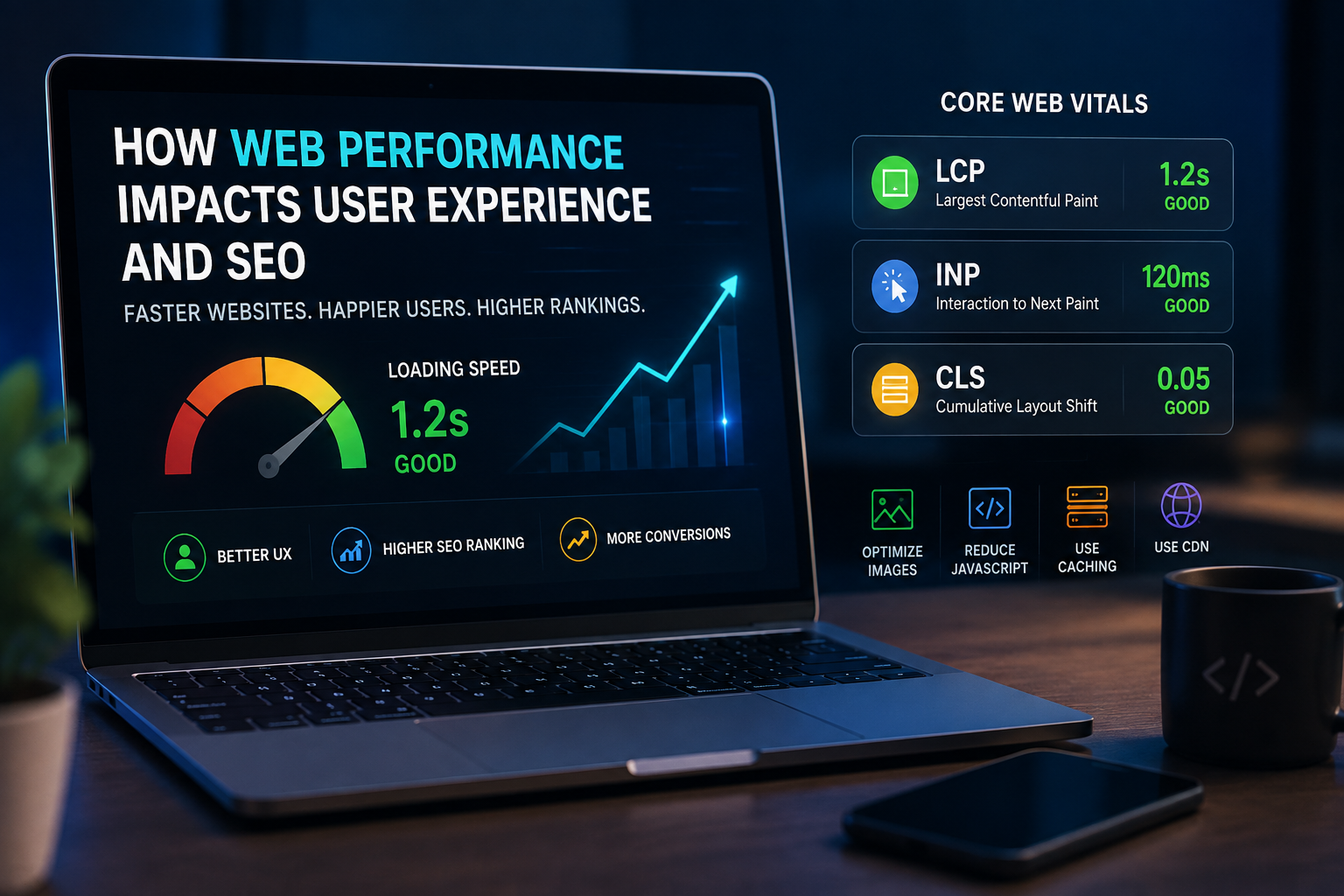
Google’s Core Web Vitals measure aspects of loading performance, responsiveness, and visual stability. These metrics are useful for evaluating the user experience, although good scores alone do not guarantee top rankings.
Mobile Usability
A website should provide a consistent experience across screen sizes.
Text should remain readable, buttons should be easy to tap, and important information should not disappear on mobile devices.
Testing real pages on different devices can reveal layout issues that are not obvious during desktop development.
Useful Content and Search Intent
SEO content should answer real questions.
A page targeting the phrase “Best Website Design Company in Bogura” should explain the services offered, the business’s approach, the project process, and the information customers need before choosing a provider.
Avoid adding unnecessary paragraphs just to increase word count. Helpful content is more valuable than repetitive text.
Our Website Development Process
A clear project process helps clients understand what happens from the initial discussion to the website launch.
The exact process may vary depending on the scope and technology.
Step 1: Understand Your Requirements
The first step is to identify your business goals, target audience, required features, and preferred budget.
This discussion helps establish the project’s scope and priorities.
Step 2: Plan the Website Structure
The next step is to organize the website’s pages and navigation.
A clear structure helps visitors find information and provides a foundation for SEO.
Step 3: Design the User Experience
The design should reflect the brand while keeping the user journey simple.
Page layouts, typography, colors, and calls to action should support the site’s objectives.
Step 4: Develop the Website
After the structure and design are agreed upon, development begins using an appropriate technology.
The choice may depend on the project’s complexity, content management requirements, integrations, and future plans.
Step 5: Test the Website
Before launch, the website should be checked for layout problems, broken links, form errors, mobile usability, and performance issues.
Important functionality should be tested in the environments relevant to the project.
Step 6: Launch and Review
After the agreed checks are complete, the website can be launched.
The team should verify important pages, forms, redirects, analytics, and search engine indexing settings as applicable.
Step 7: Maintain and Improve
A website needs ongoing attention to remain secure and useful.
Depending on the technology, maintenance may include updates, backups, security checks, content changes, and performance monitoring.
Businesses should discuss support arrangements before a project begins.
How Much Does Website Design Cost in Bogura?
Website design costs vary according to the project’s size, features, design requirements, and technical complexity.
A simple business website usually requires less work than a large eCommerce store or a custom web application.
The following factors commonly influence the final quotation:
- Number of pages
- Custom design requirements
- Content writing and image preparation
- eCommerce functionality
- Payment and third-party integrations
- Custom software features
- Hosting and domain requirements
- Security and maintenance arrangements
Instead of choosing a provider based on price alone, compare the project scope, deliverables, support arrangements, and relevant experience.
Codingburg can discuss your business requirements and help determine an appropriate project scope. Contact the team for a quotation based on your specific needs.
Why Local Businesses Should Invest in a Professional Website
Businesses in Bogura compete for attention both locally and across Bangladesh.
A professional website can help a company communicate its value to potential customers, suppliers, and business partners.
It also creates a central place for product information, service details, company updates, and enquiries.
However, a website should be part of a broader business strategy. Accurate information, responsive customer service, quality products, and consistent marketing all contribute to long-term success.
The most effective website is one that solves a real business problem and makes it easier for the right customers to take action.
Frequently Asked Questions
Which is the best website design company in Bogura?
The best website design company depends on your goals, budget, required features, and preferred working style. Compare relevant portfolios, technical capabilities, communication, project scope, and support before making a decision. If you are considering Codingburg, visit the website and discuss your requirements with the team.
Does Codingburg provide website design services in Bogura?
Codingburg identifies Bogura as its headquarters and publicly describes services that include website development, web applications, mobile app development, custom software, and IT consultancy. Contact the company to confirm the availability and scope of the service you need.
How much does a website cost in Bogura?
The price depends on the type of website, number of pages, design complexity, integrations, and required functionality. A business website, online store, and custom web application can have very different budgets. Request a project-specific quotation before making a decision.
How long does it take to develop a website?
The timeline depends on the scope of the project, content readiness, design approvals, integrations, and testing requirements. A small website may take considerably less time than a complex eCommerce platform or custom application. Ask for a timeline based on the agreed deliverables.
Can a new website rank on Google?
Yes, a new website can become eligible to appear in Google Search when its pages are accessible and indexable. However, ranking depends on competition, relevance, content quality, website health, and other factors. No specific ranking or timeline can be guaranteed.
Is a mobile-friendly website important for SEO?
A mobile-friendly website is important because visitors need to use it comfortably on smartphones and other devices. Google also uses the mobile version of a website’s content for indexing in most cases. Responsive design supports a better experience across screen sizes.
Can Codingburg develop an eCommerce website?
Codingburg publicly describes website and software development services. If you need an eCommerce website, discuss your product catalogue, payment options, delivery process, inventory requirements, and preferred platform with the team.
Does a business website need ongoing maintenance?
Yes, most business websites benefit from appropriate maintenance. Depending on the technology, this may include software updates, backups, security monitoring, performance checks, and content updates.
How can I contact Codingburg?
Visit the official website at https://www.codingburg.com/ to learn more about the company and its services. You can use the available contact options to discuss your project requirements.
Choose Codingburg for Your Next Digital Project
A well-planned website can help your business present its services professionally, communicate with customers, and build a stronger online presence.
If you are searching for a website design company in Bogura, start by identifying your goals and the features you need. Review relevant project examples, compare proposals, and choose a development partner that understands your requirements.
Codingburg provides website development, custom software, and other digital solutions for businesses seeking to build or improve their online presence.
Whether you need a business website, an eCommerce platform, or a custom digital product, the first step is a conversation about your goals.
Ready to discuss your project?
Visit Codingburg.com and contact the team to explore a suitable solution for your business.
Codingburg — Building digital solutions for business growth.