Website Cost in Bangladesh in 2026? If you’re planning to build a website for your business in Bangladesh, one of the first questions you’re likely to ask is:
Web Development Company in Bogura — CodingBurg
The answer can range from a relatively small budget for a simple landing page to several lakh taka for a custom web application or large ecommerce platform.
The reason for the huge difference is simple: not every website is the same.
A five-page company website, an ecommerce store with payment integration, and a custom business management platform may all be called a “website,” but they require very different levels of design, development, infrastructure, testing and maintenance.
This guide explains the factors that determine website development cost in Bangladesh, what different types of websites can cost, what is normally included, and what you should check before accepting a quotation.
«Quick answer: There is no single fixed website price in Bangladesh. Current published Bangladesh pricing guides show wide ranges across providers, from low-cost starter websites to several lakh taka for complex ecommerce and custom applications. The final cost depends primarily on scope, design, functionality, technology, integrations, content, hosting and ongoing support.»
Website Development Cost in Bangladesh at a Glance
The following table is a planning guide, not a fixed market rate.
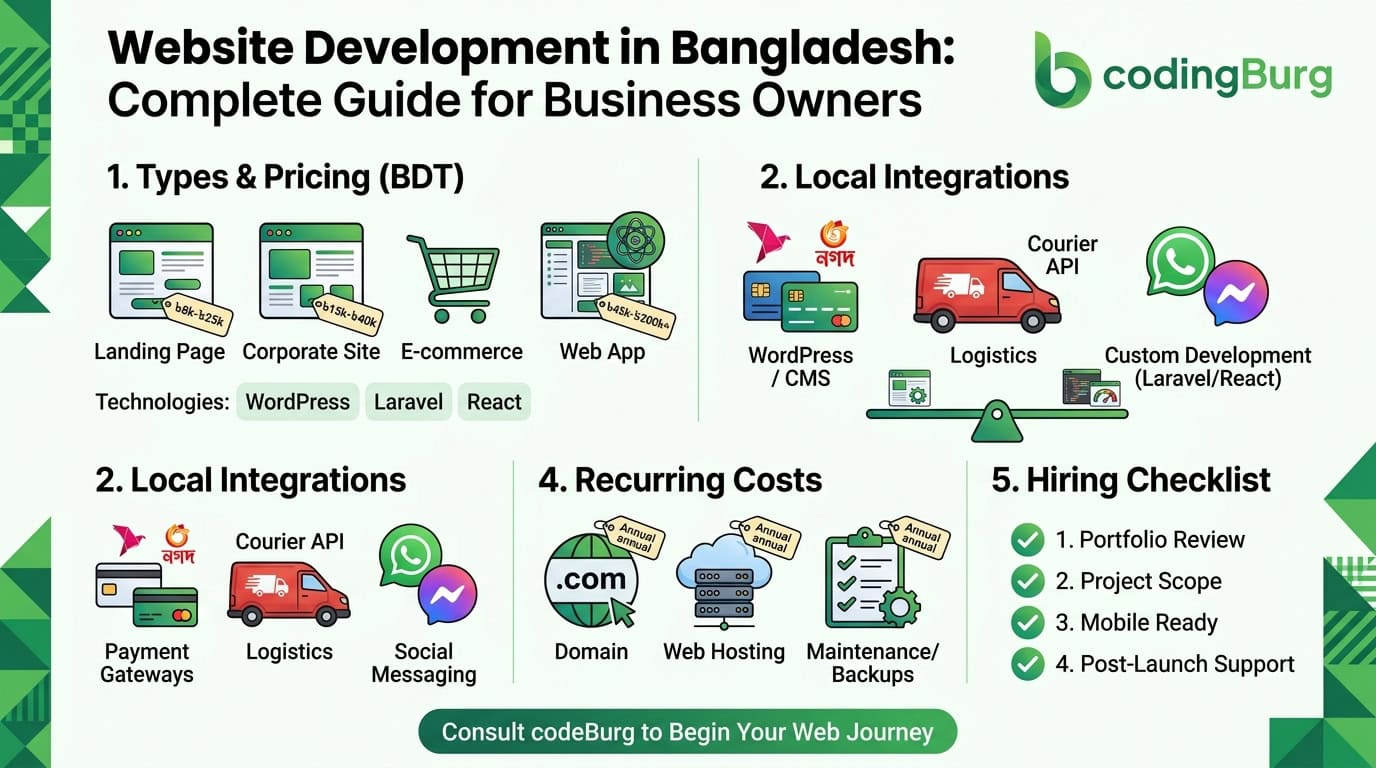
Website type| Typical planning range in Bangladesh| Suitable for
Landing page| ৳8,000 – ৳30,000+| Campaigns, individuals, simple offers
Basic business website| ৳15,000 – ৳60,000+| Small businesses and service companies
Professional corporate website| ৳40,000 – ৳150,000+| Growing companies and established brands
WordPress website| ৳15,000 – ৳100,000+| Blogs, business websites and content-driven sites
Ecommerce website| ৳50,000 – ৳300,000+| Online stores and retailers
Custom web application| ৳100,000 – ৳500,000+| Business systems and portals
Complex software platform| ৳500,000+| Large or highly customized systems
These ranges should be treated as budgeting guidance rather than quotations. Publicly available 2026 Bangladesh pricing guides show substantial variation, which reflects differences in project scope, technology, provider experience, design quality and included services.
For a real project, the right way to determine the price is to define the requirements first and then prepare a project-specific quotation.
—
What Determines Website Development Cost in Bangladesh?
Two companies can request a “business website” and receive completely different quotations.
That’s because the word website doesn’t describe the entire scope of a project.
Here are the main factors that affect the final cost.
1. Website Type
The type of website is one of the biggest cost factors.
A simple informational website may only need:
– Home page
– About page
– Services
– Contact page
– Basic enquiry form
An ecommerce website may additionally require:
– Product catalogue
– Product variations
– Shopping cart
– Checkout
– Payment gateway
– Order management
– Customer accounts
– Inventory
– Shipping
– Coupons
– Tax configuration
– Notifications
A custom web application can require considerably more:
– User authentication
– Multiple user roles
– Dashboards
– Databases
– APIs
– Business logic
– Notifications
– Reporting
– Third-party integrations
– Advanced security
Naturally, these projects don’t have the same development cost.
—
2. Website Design
Design is another major factor.
There is a big difference between:
Template-based design
and
Custom UI/UX design.
A template-based website can be faster and less expensive.
A custom website may involve:
– UX planning
– Wireframes
– Custom visual design
– Responsive layouts
– Interactive components
– Animations
– Custom illustrations
– Design systems
– Mobile-specific layouts
If your business depends heavily on its online presence, design should be considered part of the business investment rather than simply an aesthetic expense.
—
3. Number of Pages
More pages don’t automatically mean a better website, but additional pages can increase design, content and development requirements.
For example:
Small business website
– Home
– About
– Services
– Portfolio
– Contact
Larger corporate website
– Home
– About
– Multiple service pages
– Industry pages
– Case studies
– Team
– Careers
– Blog
– Resources
– Contact
The second project requires significantly more content planning, design and SEO work.
—
4. Features and Functionality
Features often have a greater impact on cost than the number of pages.
For example, these features can increase development requirements:
– User registration
– Login
– Customer dashboard
– Admin dashboard
– Booking system
– Payment gateway
– Online quotation system
– Product management
– Order management
– Inventory
– Search
– Filtering
– Notifications
– Email automation
– SMS integration
– WhatsApp integration
– CRM integration
– Accounting integration
– API integrations
A website with ten simple pages can therefore cost less than a five-page website containing a complex business application.
—
Website Development Cost by Type
1. Landing Page Cost in Bangladesh
A landing page is usually the simplest type of website project.
It may contain:
– Hero section
– Product or service information
– Benefits
– Testimonials
– FAQ
– Contact form
– Call-to-action
Typical planning budget
৳8,000 – ৳30,000+
The price can increase when the project requires custom design, animations, copywriting, advanced forms, analytics, integrations or conversion optimization.
Landing pages are commonly suitable for:
– Freelancers
– New products
– Marketing campaigns
– Personal brands
– Small service offers
– Event campaigns
—
2. Business Website Cost in Bangladesh
A professional business website normally contains several pages that explain the company, services and contact information.
Typical pages include:
– Home
– About
– Services
– Service details
– Portfolio
– Testimonials
– Blog
– Contact
Typical planning budget
৳15,000 – ৳60,000+
A more customized corporate website can cost significantly more depending on design, content, animations, integrations and CMS requirements.
The key question isn’t simply:
«”How many pages do I get?”»
Instead, ask:
«”What functionality, design, content and support are included?”»
—
3. Corporate Website Cost in Bangladesh
A larger corporate website may require:
– Custom UI/UX
– Multiple service pages
– Industry pages
– Case studies
– Blog/CMS
– Lead forms
– SEO setup
– Analytics
– Multiple languages
– Custom animations
– API integrations
– Advanced content management
Typical planning budget
৳40,000 – ৳150,000+
Large corporate projects can exceed this range when they involve complex integrations or custom systems.
—
4. Ecommerce Website Cost in Bangladesh
Ecommerce development is usually more expensive than a basic company website because an online store has to manage products, customers, orders and payments.
An ecommerce website may include:
– Product catalogue
– Categories
– Product variations
– Shopping cart
– Checkout
– Customer accounts
– Payment gateway
– Order management
– Inventory
– Shipping
– Coupons
– Reviews
– Product search
– Filters
– Email notifications
– Admin dashboard
Typical planning budget
৳50,000 – ৳300,000+
A small store using an established ecommerce platform may fall toward the lower end.
A custom ecommerce system with custom workflows, integrations and business logic can cost substantially more.
Published Bangladesh market guides also show broad ecommerce ranges, reinforcing that there is no single fixed “ecommerce website price.”
—
5. Custom Web Application Cost in Bangladesh
A custom web application is different from a normal business website.
Examples include:
– CRM systems
– ERP systems
– Booking platforms
– School management systems
– Employee management systems
– Dealer management systems
– Customer portals
– SaaS platforms
– Marketplace platforms
– Financial dashboards
– Inventory systems
Typical planning budget
৳100,000 – ৳500,000+
Large systems can cost significantly more.
For a serious custom application, the developer should first understand:
– Business requirements
– User roles
– Workflows
– Database structure
– API requirements
– Security
– Integrations
– Reporting
– Scalability
A proper discovery process is often more valuable than receiving a cheap fixed number before the requirements are understood.
—
Why Do Website Quotes Differ So Much in Bangladesh?
You may contact three developers and receive:
– ৳15,000
– ৳50,000
– ৳150,000
for something that appears to be “the same website.”
That doesn’t necessarily mean one developer is right and the others are wrong.
The quotes may represent completely different products.
One quotation might include:
– Template design
– Basic pages
– Shared hosting
– Limited revisions
Another might include:
– Custom UI/UX
– Custom development
– CMS
– SEO setup
– Performance optimization
– Security
– Analytics
– Deployment
– Support
The third might include:
– Custom software architecture
– Advanced functionality
– API integrations
– Custom admin panel
– Automated workflows
– Long-term maintenance
Always compare the scope, not just the number.
—
Freelancer vs Agency: Which Affects Website Cost?
The person or company developing the website also affects the quotation.
Freelancer
A freelancer may be suitable for:
– Small websites
– Landing pages
– Simple business websites
– Limited-scope projects
The cost may be lower because the operating structure is smaller.
Development Agency
An agency or software development company may provide:
– UI/UX design
– Frontend development
– Backend development
– QA/testing
– Project management
– Deployment
– SEO
– Maintenance
– Long-term support
This can result in a higher initial price but may be more suitable for businesses that require a broader development process.
The important thing is to compare deliverables and responsibility, not simply freelancer versus agency.
Others Blog: How to Take Your Bangladesh Business Online: A Complete Guide
WordPress vs Custom Website: Which Costs More?
There is no universal answer.
WordPress
WordPress can be a practical choice for:
– Blogs
– News websites
– Company websites
– Content-heavy websites
– Small businesses
Costs depend on:
– Theme
– Plugins
– Customization
– Hosting
– Development
– Security
– Maintenance
Custom Development
A custom application using technologies such as Laravel, Node.js, React or Next.js can be more appropriate when the project requires:
– Custom workflows
– Complex business logic
– Advanced dashboards
– APIs
– Custom authentication
– High levels of customization
– Specialized integrations
The correct technology should be selected based on the requirements rather than simply choosing the technology that happens to be popular.
—
Domain and Hosting Costs
Website development is not always the only cost.
You may also need:
Domain
Your domain is your website address, such as:
“yourcompany.com”
Hosting
Hosting is where your website and application run.
Depending on the project, you might use:
– Shared hosting
– Managed WordPress hosting
– VPS
– Cloud hosting
– Dedicated infrastructure
SSL
HTTPS is essential for a modern website.
Many hosting providers include SSL, while other setups may require separate configuration.
Businesses may also require professional email such as:
“info@yourcompany.com”
“support@yourcompany.com”
These recurring costs should be considered separately from the initial development budget.
—
Website Maintenance Cost in Bangladesh
Launching a website isn’t necessarily the end of the project.
Depending on the technology, you may need:
– Security updates
– Plugin updates
– Dependency updates
– Bug fixes
– Content updates
– Backups
– Server monitoring
– Performance optimization
– SEO improvements
– Feature development
A small informational website may require relatively little ongoing work.
An ecommerce platform or custom web application can require continuous technical maintenance.
—
What Should Be Included in a Professional Website?
Before accepting a quotation, ask exactly what is included.
A professional website project may include:
Design
– Responsive UI
– Mobile optimization
– Desktop optimization
– Custom branding
Development
– Frontend development
– Backend development where required
– CMS
– Database
– Forms
– Integrations
SEO foundation
– Search-friendly URLs
– Page titles
– Meta descriptions
– Sitemap
– Robots configuration
– Structured data where appropriate
– Image optimization
– Internal linking
Performance
– Optimized images
– Efficient code
– Caching where appropriate
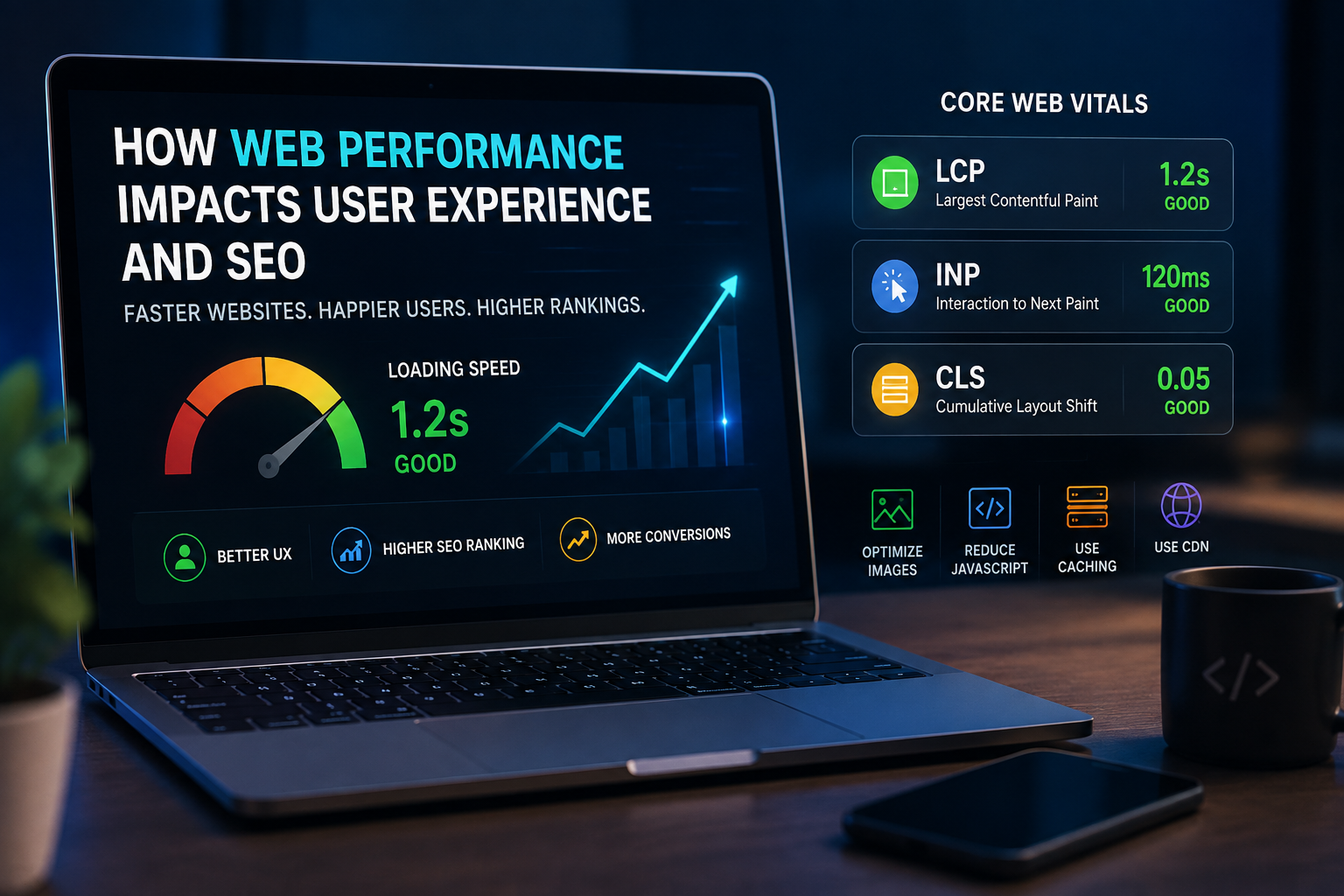
– Core Web Vitals considerations
Security
– HTTPS
– Secure authentication
– Input validation
– Access control
– Regular updates
Launch
– Domain configuration
– Hosting deployment
– DNS configuration
– Production testing
Not every project requires every item, but your quotation should clearly state what is included.
—
How to Choose a Website Development Company in Bangladesh
Price should not be your only selection criteria.
Before hiring a developer or agency, check:
1. Portfolio
Look at actual websites they have built.
2. Relevant experience
Have they worked on projects similar to yours?
3. Technology
Do they understand the technology your project requires?
4. SEO
Will the website be technically prepared for search engines?
5. Performance
Is performance part of the development process?
6. Security
How will your website, accounts and data be protected?
7. Ownership
Make sure you understand who owns:
– Domain
– Hosting
– Source code
– Database
– Design files
– CMS
– Third-party accounts
8. Support
Ask what happens after launch.
9. Communication
A technically good project can still fail if communication and requirements are unclear.
10. Contract and scope
The project should clearly define:
– Deliverables
– Payment terms
– Revisions
– Timeline
– Ownership
– Support
– Maintenance
– Additional feature costs
—
Cheap Website vs Professional Website
A low-cost website isn’t automatically bad.
For some businesses, a simple website is exactly what they need.
The problem occurs when a business chooses a solution based only on price and later discovers that it doesn’t support the required business functions.
For example, a cheap website may not include:
– Custom design
– Proper SEO
– Performance optimization
– Secure development
– CMS customization
– Analytics
– Conversion optimization
– Integrations
– Scalability
Before choosing the cheapest quotation, ask:
«What exactly am I getting for this price?»
That question can save a business significant money later.
—
How to Reduce Website Development Cost
If your budget is limited, you don’t necessarily need to sacrifice the entire project.
Instead, prioritize.
Phase 1
Build the essential website:
– Home
– About
– Services
– Contact
– Basic SEO
– Analytics
Phase 2
Add:
– Blog
– Case studies
– Advanced forms
– Additional service pages
Phase 3
Add:
– Ecommerce
– Customer accounts
– Automation
– Advanced integrations
– Custom dashboards
This approach can allow a business to launch earlier and expand the platform as it grows.
—
Website Cost Checklist for Bangladesh
Before hiring someone, prepare this checklist:
– [ ] Website type
– [ ] Number of pages
– [ ] Design requirements
– [ ] Mobile responsive design
– [ ] CMS requirements
– [ ] Ecommerce requirements
– [ ] Payment gateway
– [ ] User accounts
– [ ] Admin panel
– [ ] API integrations
– [ ] SEO setup
– [ ] Analytics
– [ ] Hosting
– [ ] Domain
– [ ] SSL
– [ ] Security
– [ ] Backup
– [ ] Maintenance
– [ ] Source-code ownership
– [ ] Support period
– [ ] Revision policy
The more clearly these requirements are defined, the easier it is to compare quotations.
—
So, How Much Should You Budget for a Website in Bangladesh?
There isn’t one correct number.
As a general planning guide:
Simple landing page:
৳8,000 – ৳30,000+
Small business website:
৳15,000 – ৳60,000+
Professional corporate website:
৳40,000 – ৳150,000+
Ecommerce website:
৳50,000 – ৳300,000+
Custom web application:
৳100,000 – ৳500,000+
Large custom software platform:
৳500,000+
These are planning ranges rather than fixed prices. Actual project costs can fall outside them depending on requirements, technology, design, integrations and development team. Current publicly published Bangladesh pricing guides also show substantial variation across these categories.
—
Frequently Asked Questions
How much does a basic website cost in Bangladesh?
A basic business website may start around ৳15,000 and increase depending on design, pages, content, CMS and functionality.
How much does an ecommerce website cost in Bangladesh?
A small ecommerce project may start around ৳50,000, while larger stores with custom features and integrations can cost several lakh taka.
How much does a custom website cost in Bangladesh?
Custom websites and web applications can start around ৳100,000 and increase substantially with complexity.
Is WordPress cheaper than custom development?
It can be, especially for content-focused websites, but the final cost depends on themes, plugins, customization, design, development and maintenance.
Should I hire a freelancer or a company?
It depends on the project. A freelancer may be suitable for a smaller project, while a development company may be more appropriate when you need design, development, testing, deployment and ongoing support.
Does website development include hosting?
Not necessarily. Always check your quotation. Domain, hosting, email, maintenance and third-party services may be separate costs.
Can I build my website in phases?
Yes. Phased development can be useful when you want to launch the essential website first and add more advanced functionality later.
Does a website automatically rank on Google?
No. Building a website and ranking a website are different things. Technical SEO, content, authority, relevance, performance and other factors all matter.
—
Need a Website for Your Business?
The right website budget depends on what you actually need to achieve.
Instead of choosing a developer based only on the cheapest quotation, define your business requirements first and compare:
Design + functionality + technology + SEO + performance + security + support + ownership.
At CodingBurg, we build websites and custom software solutions for businesses that need more than a basic online presence.
Whether you need a business website, ecommerce platform, custom web application or a larger software solution, we can help you plan the technology and development scope around your business requirements.
Ready to discuss your project?
[Get in touch with CodingBurg →]
—
Final Takeaway
There is no single “website price in Bangladesh.”
A website can be a simple digital brochure, an ecommerce business, or a complete software platform. The cost changes because the scope changes.
The best way to determine your budget is to start with the business goal, define the required functionality, choose an appropriate technology, and then obtain a detailed quotation.
If you’re planning a new website in Bangladesh in 2026, use this guide as a starting point—but make your final decision based on the actual requirements of your business.